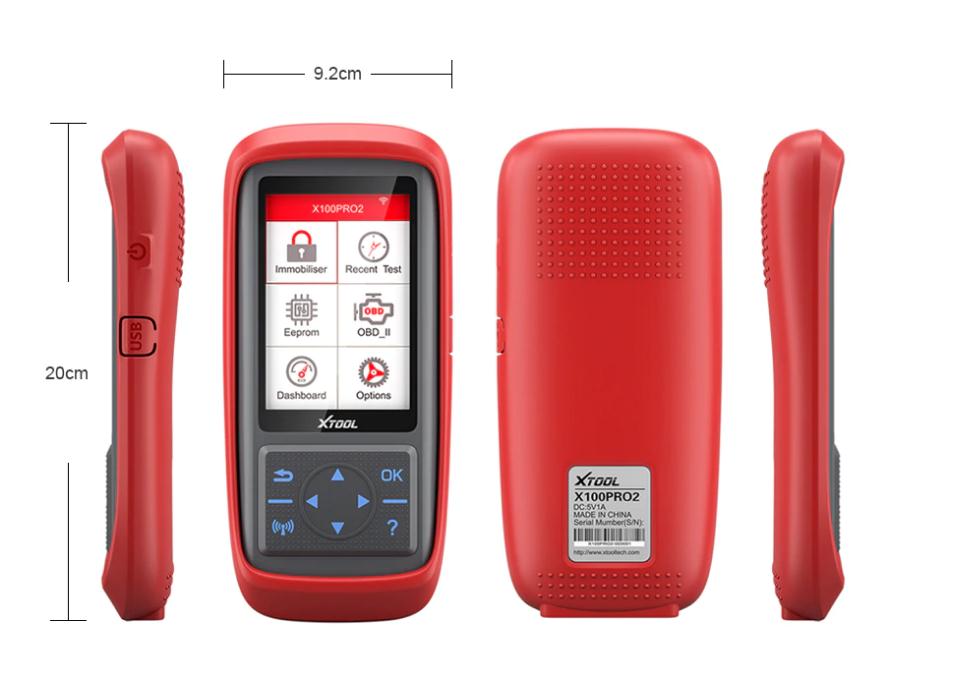
XTOOL X100 Pro2 Key Programmer Immobilizer Mileage Adjustment

XTOOL X100 Pro2 Key Programmer Immobilizer Mileage Adjustment
XTOOL X100 Pro2 Description:
X100 Pro2 Auto Key Programmer is a hand-held device for programming keys in immobilizer units on vehicles. This scan tool has a simple and robust design, to make your vehicle service experience much easier! 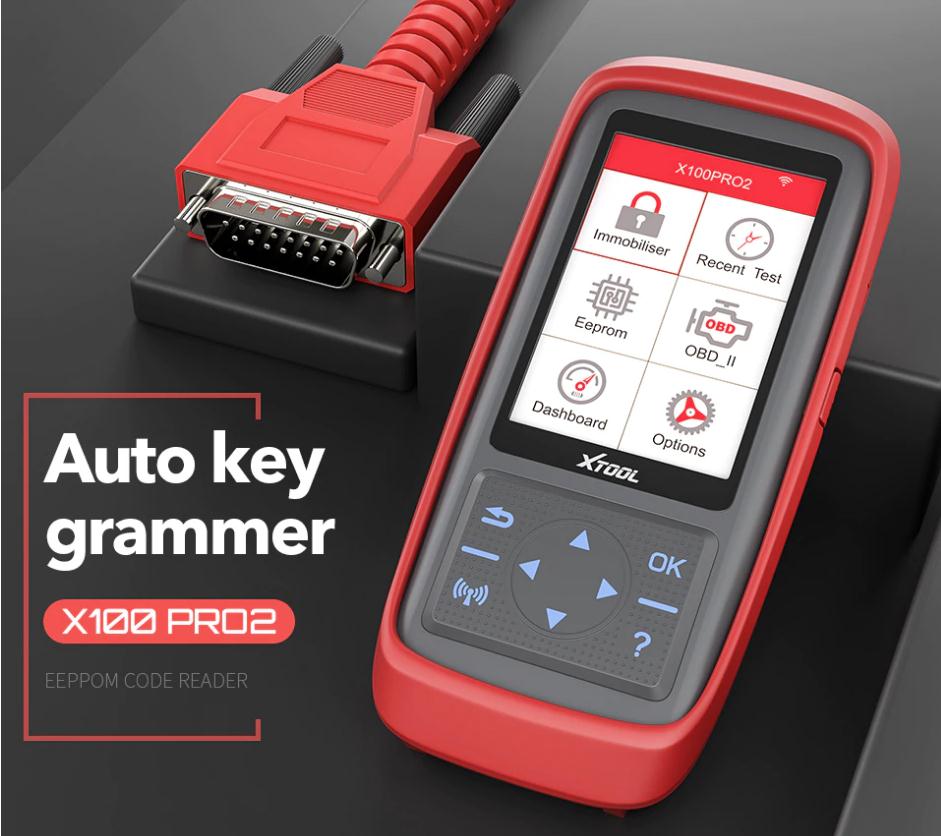
Top Reasons to Get Xtool X100 Pro 2
1.Upgrade Version of Xtool X100 Pro
2.Download the Update tool to do the update, Lifetime Free Update
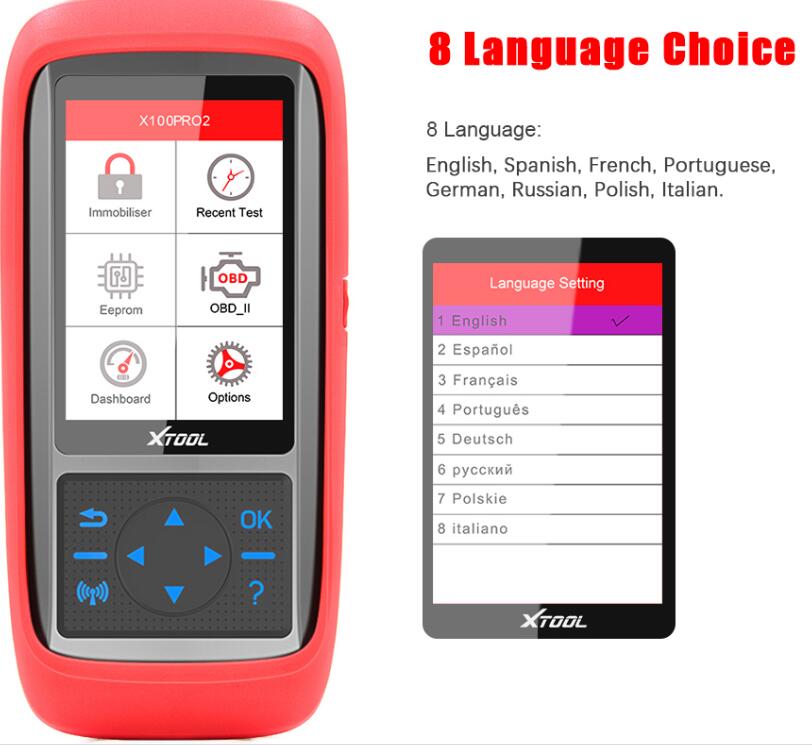
3.Multi-Language Available: English, Spanish, Francais, Portuguese, Deutsche, Polish, Italian, Russian
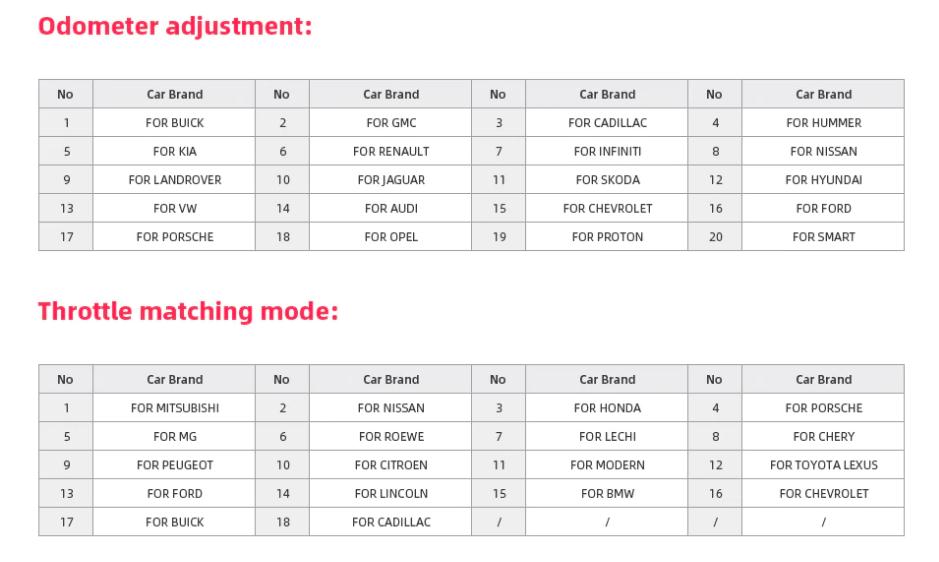
4.X100 Pro 2 Supports Not only Key Programmer but also Mileage Correction function, but can not support all car models in all year. check the supported car list on our website.
5. including EEPROM Adapter
6.How to Solve X100 Pro 2 Blank Sreen Problem ?
Please update X100 Pro2. If it still doesn't work, please contact us to authorize the software, and our techcinian will help you install it by remote.
Or check the Mileage list Video here
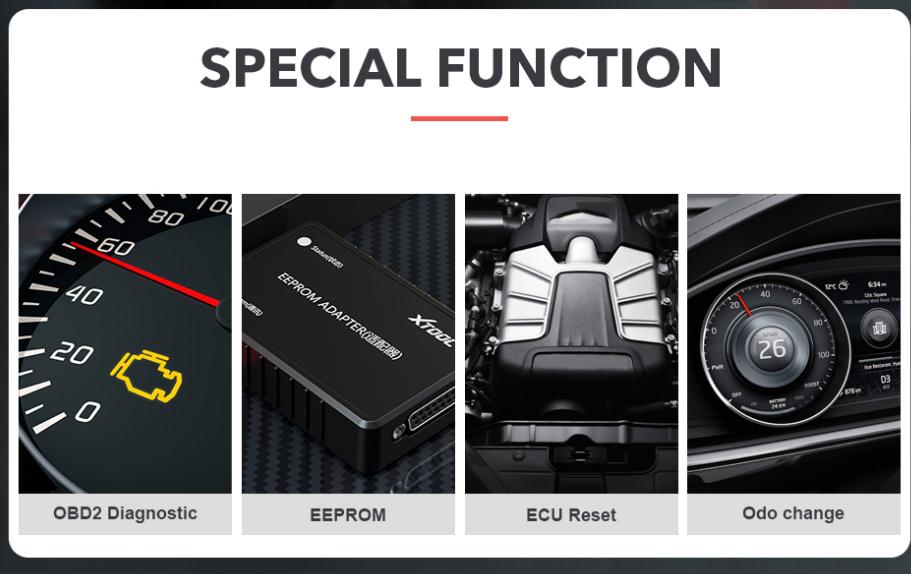
XTOOL X100 Pro2 Functions:
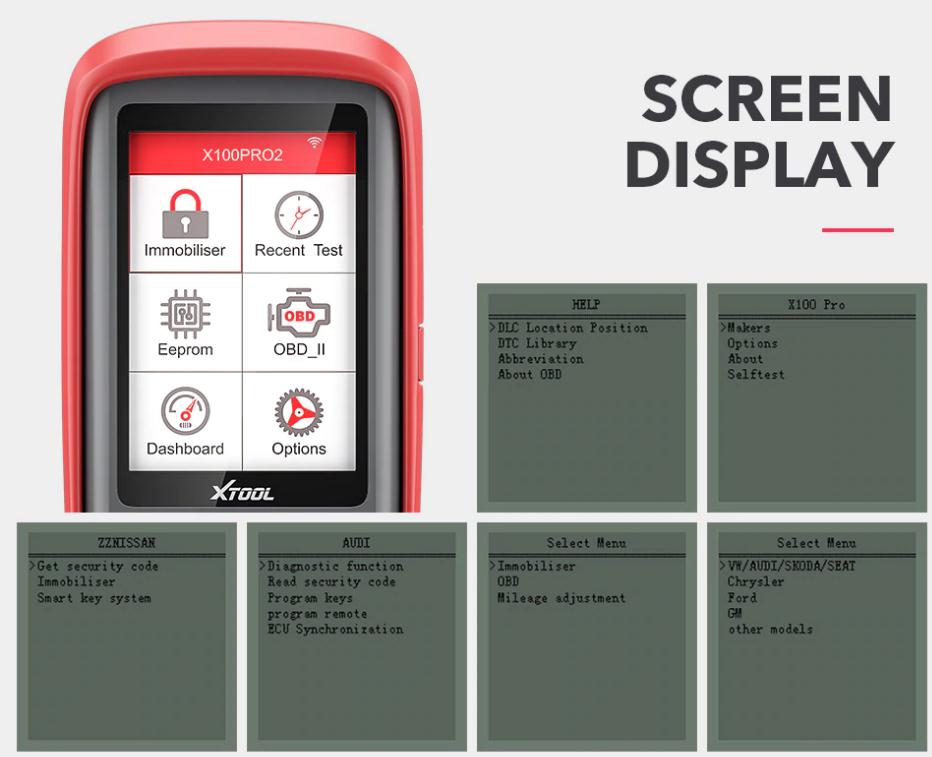
1. Immobiliser
2. OBDII Diagnosis
3. EEPROM
4. Odometer Adjustment
XTOOL X100 Pro2 Features:
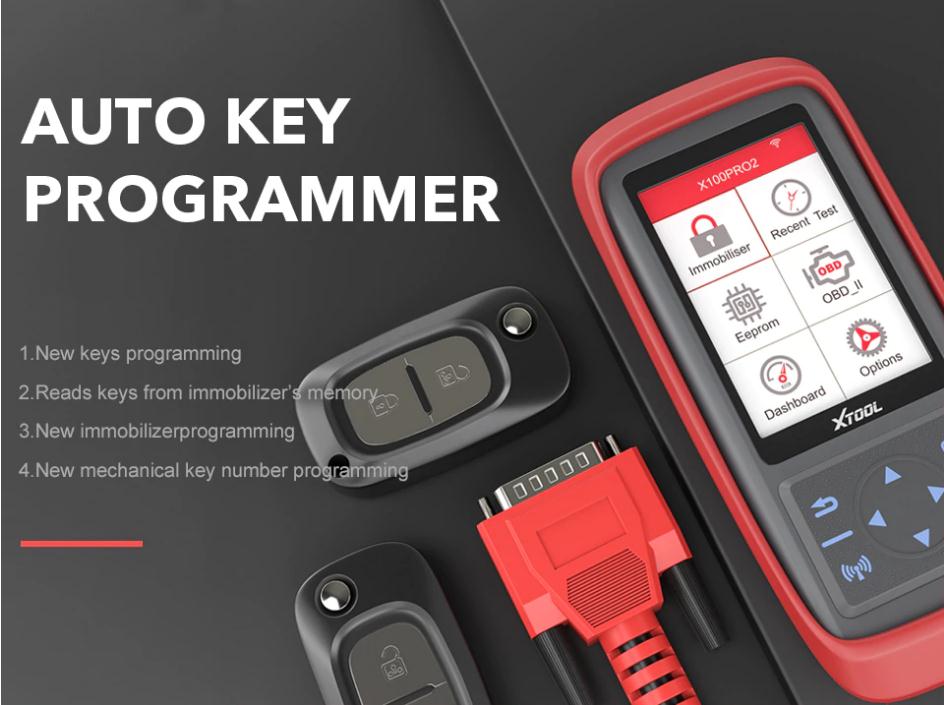
- New keys programming
- Upgrade via web-based download
- Read keys from immobilizer memory
- New immobilizer programming
- New ECU programming
- Reset ECM & Reset Immobilizer
- New remote controller programming
- New mechanical key number programming
- Vehicle Identification Number programming
- Easy to operate by guiding menu programming
X-100 Pro2 Vehicle Coverage:
| Region | Function | |
| Immobilizer | Odometer Adjustment | |
| Asia | For Toyota;For Honda; For Acura; For Mazda; For Lexus; For Mazda; For Nissan; For Infiniti; For Mitsubishi; For Subaru; For Suzuki; For KIA; For Hyundai; For SSANGYONG; For QNLUTUS; For Mitsuoka |
For Hyundai; For Infiniti; For Isuzu; For KIA; For Mazda; For Mitsubishi; For Nissan; For Proton; For SSANGYONG; For Subaru; For Suzuki |
| Europe | For Audi; For VW; For Skoda; For Seat; For Porsche; For Opel; For Citroen; For Peugeot; For Jaguar; For Land Rover; For Renault; For Benz; For Ferrari; For Fiat; For Maserati; For MG; For Smart; For DS |
For Audi; For Bentley; For Benz; For Citroen; For Ferrari; For Fiat; For Jaguar; For Land Rover; For Maserati; For Peugeot; For Porsche; For Renault; For Seat; For Skoda; For Smart; For Volvo;For VW |
| America | For Lincoln; For GM; For Chrysler; For Ford | For Buick; For Cadillac; For Chrysler; For Ford/Lincoln; For GMC; For Hummer; For Oldsmobile; For Opel; For Pontiac; For Saturn |
| China | For Changan; For Changfeng;For Changhe; For Chery; For Brilliance;For BYD; For Huapu; For JAC; For Lifan; For GreatWall; For HNMAZDA; For Lufeng; For Roewe; For SQYL; For ZZNISSAN;For Luxgen; For Geely; For Hongqi; For Hawtai; For Besturn;For Baic; For Baojun; For Dffengshen; For Dfliuzhou; For Betpurn |
For Besturn; For Geely; For Greatwall; For MG Roewe |
For more details can check on www.xtooltech.com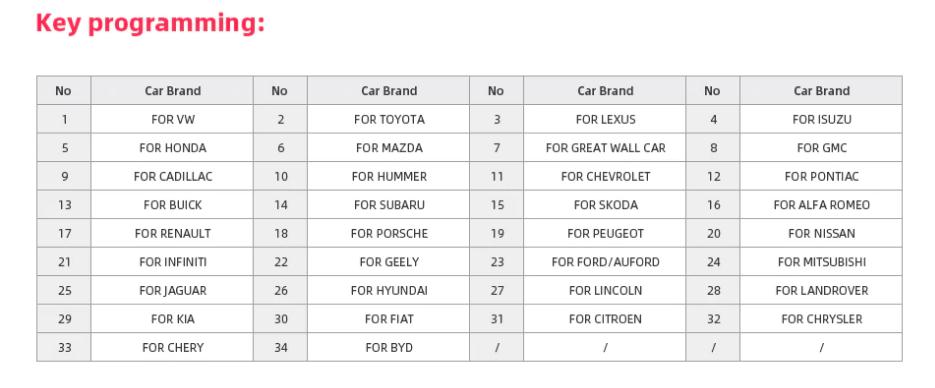
XTOOL X100 PRO2 update: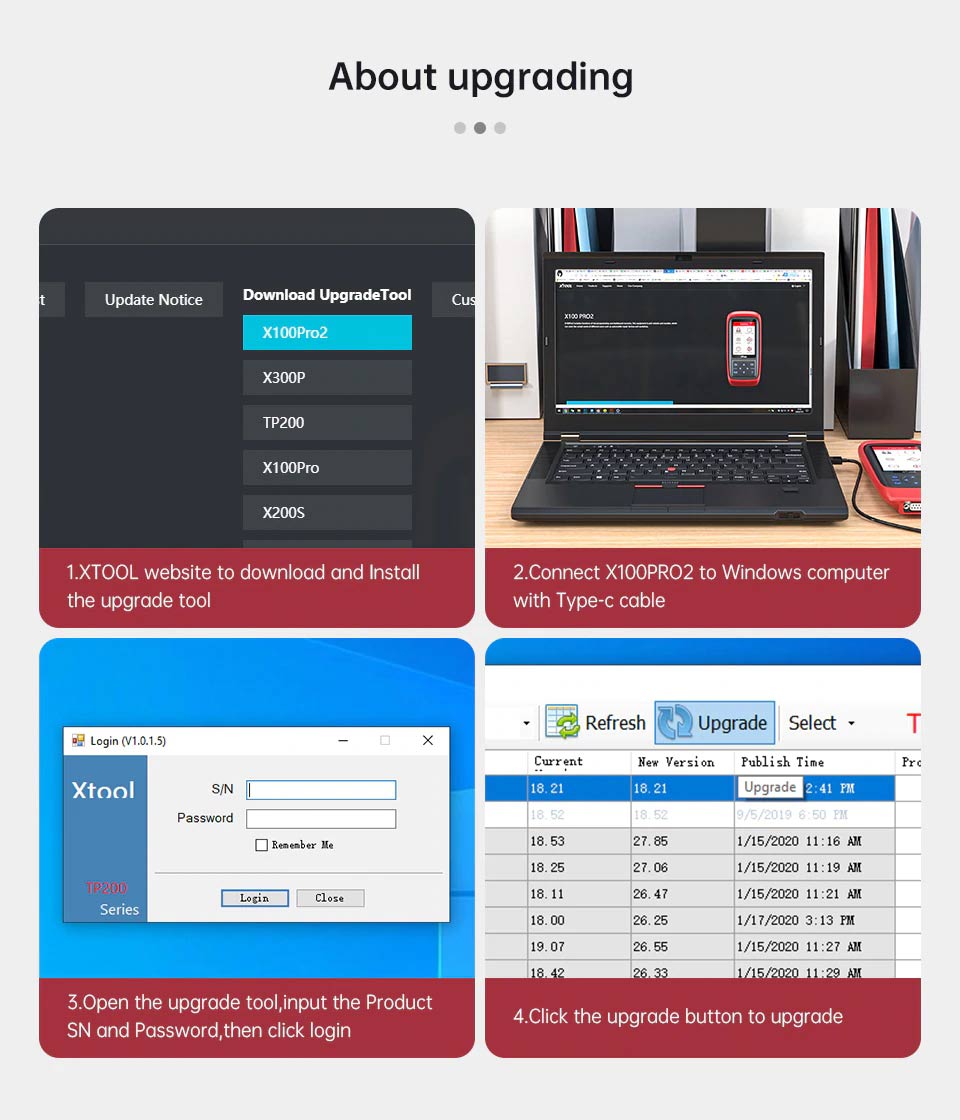
How to Update?
Please connect X100 Pro2 to your laptop by type-c cable to format and delete all files on the SD card, and then download new software from the XTOOL official website: http://www.xtooltech.com/EN/ProductView/X100Pro2.html. Disconnect the cable and reconnect the cable. It Done!
If your X100 PRO2 met the following problems:
- Blank screen
- Automatically return to the home screen
- "No Application"
- "Fail to Connect"
- Failed to Read Mileage Value
Solution:
Please update X100 Pro2. If it still doesn't work, please contact us to authorize the software, and our technicians will help you install it by remotely.
XTOOL X100 Pro2 Parameters:
Display: 320x480 dpi TFT color display screen
Working Voltage: 9-18V
Working Temperature: -10-60℃
Storage Temperature: -20-70℃
Appearance Size: 92mm*33mm*200mm(LxWxH)